When I first unboxed my Narwal Flow 2 for my 500-square-foot studio apartment, I figured a space this compact would be an absolute breeze for a high-end robot vacuum. With mostly hard floors and just one small 5×7 area rug, it seemed like the ideal, low-maintenance environment to test out the best robot mop tech on the market.
But after living with it for a while, I’ve realized that getting the absolute most out of this machine requires tackling a slight learning curve. While it cleans exceptionally well, navigating the initial app interface and hardware quirks can be tricky. If you want to avoid early frustration, here are the exact settings, mapping tweaks, and maintenance realities I wish someone had told me on day one.
Quick Answer: The Ultimate Narwal Flow 2 Shortcut
Want the fast track to success? Prevent your rugs from getting soaked by manually setting up no-mop zones instantly—the machine lacks a native active carpet sensor. Turn on the misleadingly named “Stairs Mode” to clear high room transitions, and never stand directly in front of the vacuum while it maps your rooms, or your feet will be permanently cataloged as an obstacle!
My Long-Term Experience with the Narwal Flow 2
Living in a compact urban studio means every square inch of flooring is highly visible. Muddy footprints, stray dust, and kitchen spills show up instantly. I brought the Flow 2 in specifically to achieve a daily, hands-off clean. Over months of testing, I’ve discovered that while its core mechanical performance is incredible, the software demands a highly strategic approach during your first week of ownership.
What I Liked
- Stellar Obstacle Avoidance: The front-facing camera is incredibly smart. It weaves around scattered tech charging cables and stray laptop cords without swallowing them.
- Impeccable Mopping Power: It leaves my hard floors completely spotless without annoying streaks.
- The Mobile “Cruise” Feature: I love using this hidden camera tool to check under my couch or spot a dropped earbud from my phone.
What I Didn’t Like
- No Native Carpet Sensor: It cannot automatically distinguish rugs from hard flooring on its own without upfront digital barriers.
- Confusing App Settings: Important threshold-climbing toggles are hidden under misleading names.
- Over-Sensitive Object Logging: The AI easily gets confused by temporary obstructions during its initial configuration run.
What Surprised Me: The “Shoe Photo” Trap
One thing that caught me completely off guard involves how the optical navigation system processes data. The obstacle avoidance relies heavily on giving the Narwal app full camera and data permissions right out of the box. While this keeps it from getting tangled up, the object identification system is definitely prone to some hilarious oversolds.
The Footwear Phantom: Do not stand directly in front of the unit during its initial mapping pass. If you do, the AI navigation will register your ankles and feet as a pair of discarded sneakers left on the floor. It will log a permanent obstacle photo on your floor plan, meaning the vacuum will completely skip cleaning that exact patch of floor forever until you clear the map memory. I learned this the hard way after finding a literal picture of my own sneakers saved in my layout!
1. The Crucial App Tweak: Navigating Carpet and Rugs
One of the biggest hurdles I encountered is that the Flow 2 does not feature an active, automated carpet sensor to detect fiber pile on the fly. If you let it loose blindly, it risks dragging a soaking wet mopping roller straight across your delicate low-pile area rugs.
To fix this, go straight into your map layout tools inside the smartphone app. Manually block out your precise rug boundaries and label them explicitly to change your Narwal vacuum settings. I always configure my automated cleaning tasks to run “Vacuum First, Then Mop.” This smart sequencing forces the unit to clean the rug zones while its mopping pads are bone-dry before it ever dispenses water from the tank.
2. The Mystery of “Stairs Mode”
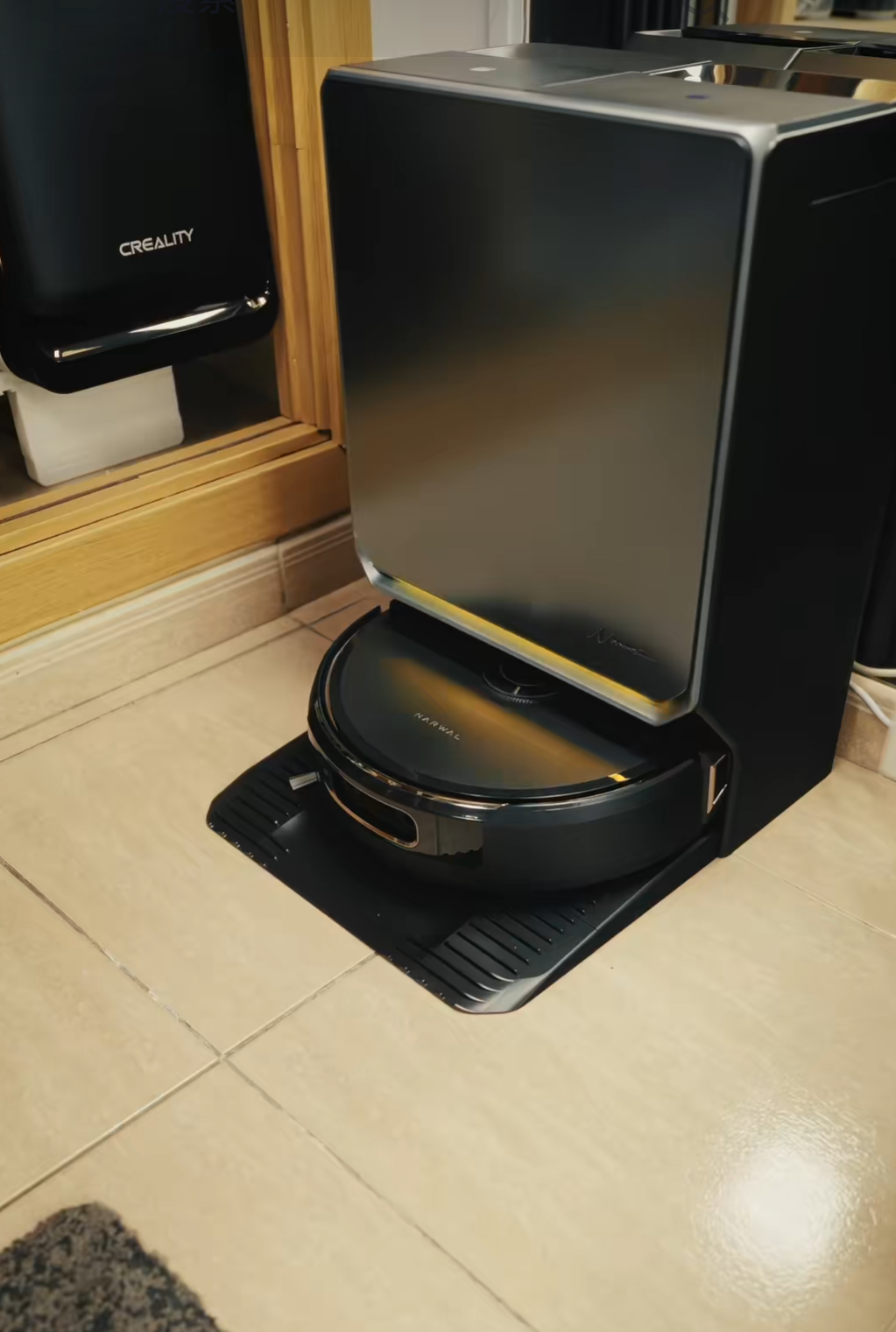
When you browse the deepest setting menus, you will see a feature labeled “Stairs Mode.” The naming convention here is incredibly confusing—it has absolutely nothing to do with preventing the unit from tumbling down steps.
Turning this feature on actually instructs the internal drive wheels to be significantly more aggressive when encountering high room transitions, thick dividers, and raised doorways. If your home has raised transition strips between the kitchen or bathroom and your main living space, toggle this feature on immediately so your machine doesn’t get marooned.
3. Maintenance Realities: Tracking Sludge and Hidden Menus
If your machine begins acting erratic or starts skipping its automated schedule a few weeks into ownership, it is almost certainly due to a dirty sensor array or base station buildup. You can refer to a complete Narwal Maintenance Guide for deep breakdowns, but keeping a strict weekly routine is key.
The Hidden Accessory Lifecycle Menu
The main app dashboard hides its component health tracker away from plain sight. To find it, tap the Dock Icon (second from the top on the right edge of your main screen) → choose Accessory → click Manage Accessories. This reveals the precise remaining lifespan of your brushes and filters alongside brief maintenance checklists.
My Essential Weekly Routine
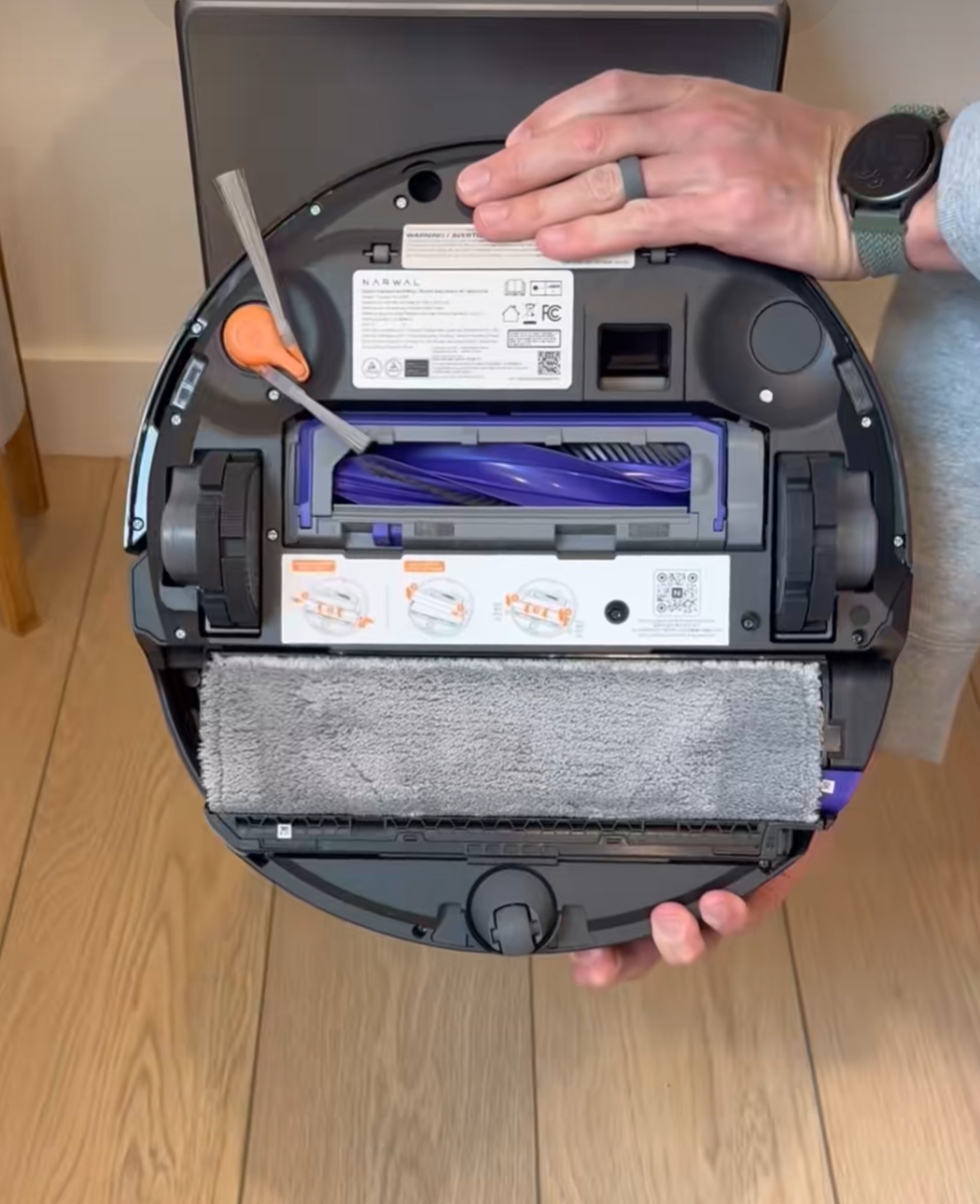
- The Washboard Sludge: Deep inside the bottom of the cleaning dock sit two removable plastic pieces where the mopping rollers wash themselves clean. Check this area weekly. It accumulates thick, slimy hair and wet dirt sludge remarkably fast. Pop them loose and rinse under hot tap water.
- Optical Lens Wiping: Use a dry microfiber cloth to clean the front-facing camera lens and the underlying cliff sensors every few days. Smudges heavily degrade its navigational intelligence.
Narwal Flow 2 vs. Alternative Mopping Competitors
To see how this unit holds up against the broader market, here is a quick look at how its primary functional features stack up against standard industry alternatives:
| Feature / Capacity | Narwal Flow 2 | Standard Competitors |
|---|---|---|
| Carpet Detection Strategy | Manual Pre-Mapping Requirements | Automated Ultrasonic Sensors |
| Cable & Cord Avoidance | Excellent (Front Camera Integration) | Basic Mechanical Bumper Strips |
| High-Threshold Management | Advanced (Via “Stairs Mode” Toggle) | Standard Fixed Clearance Limits |
| Live Feed Search Capabilities | Integrated App “Cruise” Controls | Rare / Premium Tier Only |
Consumables and Pet-Safe Replacements
The small starter bottle of concentrated liquid floor cleaner bundled in the box runs out faster than you expect. While my studio apartment layout extends its lifespan compared to a massive suburban floor plan, you will still need a replacement strategy. If you eventually buy third-party, off-brand alternatives, ensure they are thoroughly pet-safe. Specifically avoid floor formulas containing citrus oils, which are highly toxic to cats and dogs if picked up on their paws.
Who Should Buy the Narwal Flow 2?
This is an incredible asset for urban dwellers living in spaces dominated by hardwood, tile, or laminate flooring who struggle with messy pet hair or frequent floor spills. If you appreciate top-tier cable avoidance and don’t mind spending five minutes running manual map adjustments during week one, it rewards you with a flawless clean.
Who Should Skip It?
If your house layout is covered in 80% or more thick, wall-to-wall carpeting, or if you refuse to open an app to draw digital boundaries on a screen, this machine’s lack of automated ultrasonic carpet sensing will likely cause more headaches than it resolves. Check out our comprehensive Best Narwal Models Guide to find a better match for high-pile carpets.
Frequently Asked Questions
Does the Narwal Flow 2 have a camera?
Yes, it features a front-facing camera used strictly for smart obstacle identification and cable avoidance. You can also manually access this camera feed via the mobile app using the built-in “Cruise” feature.
Can I use alternative cleaning detergents in the tank?
While the manufacturer recommends original refills, you can use mild third-party alternatives. Ensure they are completely non-foaming and entirely free of hazardous citrus ingredients if you own household pets.
Why does my vacuum keep getting stuck on room thresholds?
You likely need to turn on “Stairs Mode” in your accessory settings menu. This toggle forces the machine’s drive wheels to exert more power to climb over high transitional floor strips.
How do I stop the mop pads from wetting my rugs?
Because there isn’t a mechanical carpet sensor built-in, you must manually outline your rugs as no-mop zones on your app map during the first setup phase.
Final Thoughts
It definitely takes a bit of human intervention to align with how this machine thinks, tracks data, and maps spaces. However, once you lock down your manual carpet protection perimeters, activate the transition overrides, and commit to cleaning out the dock washboard pieces once a week, it operates beautifully hands-off. It has completely transformed my daily cleaning chores.


