Hey loves! If you follow me on SuriTalk, you already know two things about me: I am utterly obsessed with keeping my hardwood floors camera-ready without lifting a finger, and I am always hunting down the absolute best luxury home deals. Narwal has been my go-to recommendation whenever readers ask me for a high-end robot cleaner that actually mops well without looking like an industrial eyesore in a modern home.
V01.09.04.00, I was eager to put it through its paces. If you’ve been tracking Narwal’s software updates, you know new firmware can be a bit of a double-edged sword. While this new build delivers real efficiency gains in navigation, it also handed me a setup bug that almost made me regret keeping auto-updates enabled!Whether you already own a Freo 2 or you’re browsing for a Narwal robot vacuum and mop on sale, here is my honest breakdown of what improved, what broke, and how I got everything running smoothly again.
Quick Take: Is Firmware V01.09.04.00 Worth Installing?
The Short Answer: Yes—if you don’t mind spending 5 minutes remapping your home if a docking bug pops up. Firmware V01.09.04.00 shaves roughly 14% off cleaning times thanks to tighter navigation logic and smoother edge negotiation around furniture. However, it can temporarily disrupt the robot’s base station connection. A quick map deletion and re-scan completely fixes the issue. If your current setup is working fine on V01.07 or V01.08, there’s no rush to push the update manually.
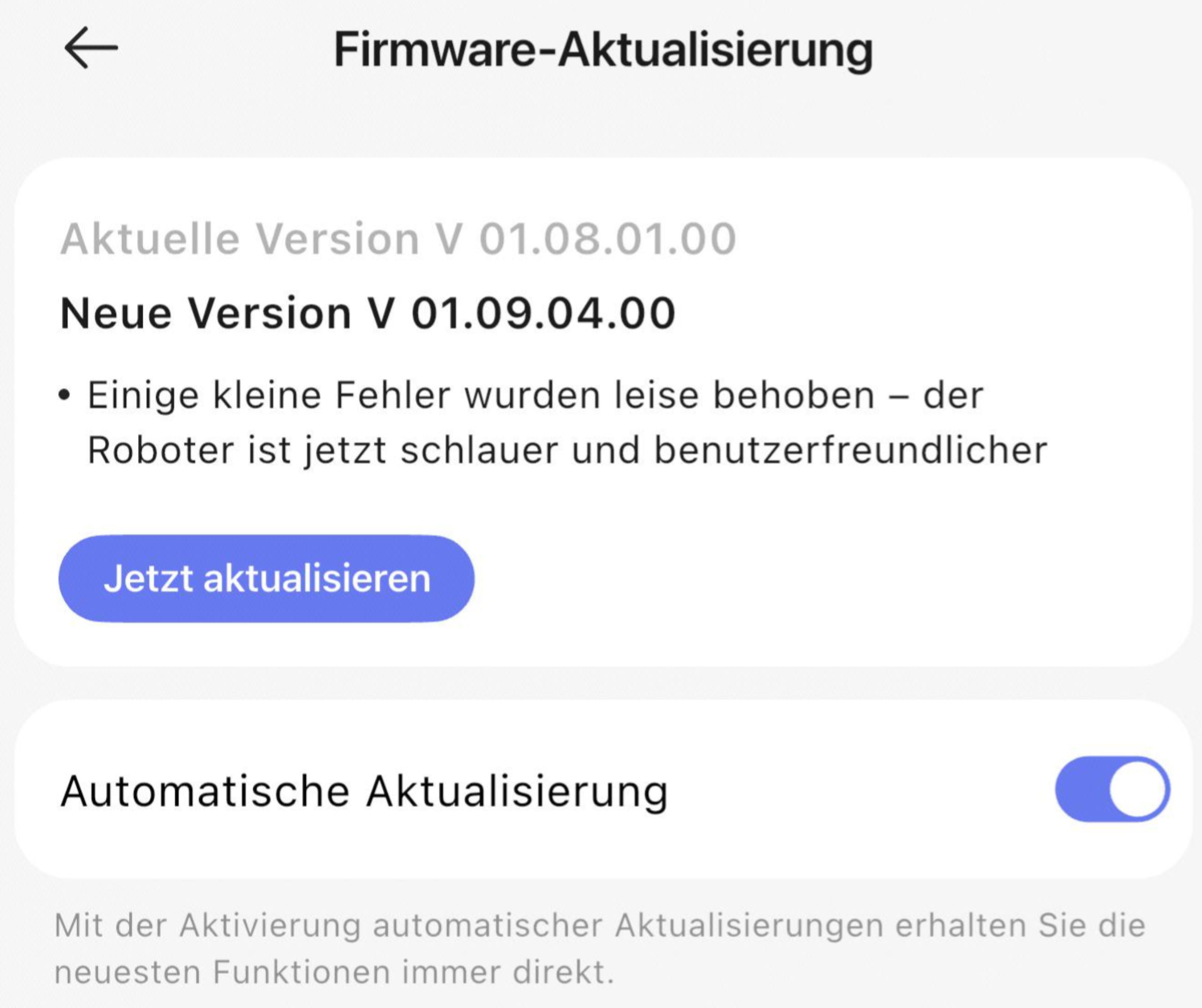
Image Source: SuriTalk Original | Photographer: Suri | Copyright © SuriTalk
My Real-World Experience: Testing Firmware V01.09.04.00
I ran the new software through several full cleaning passes across my main floor, which features a tricky mix of light oak hardwood, fringe-free runner rugs, and tight designer chair legs. Before this update (I was previously running V01.08.01.00), my Freo 2 had a minor habit of making redundant overlaps along wide corridors and hesitating near rug perimeters.
Here is exactly what changed when I let the new code take over.
1. Faster Cleaning & Streamlined Navigation
- Tighter Cleaning Lines: The bot makes fewer micro-adjustments before committing to straight rows. It looks far more intentional and less hesitant.
- Measurable Speed Increase: My standard vacuum-and-mop routine previously took about 49 minutes. On the exact same layout with
V01.09.04.00, it finished in 42 minutes flat. Saving 7 minutes per run really adds up over a week! - Graceful Edge Handling: Instead of the jerky “stop-and-twist” motions seen in older V01.06 builds, it glides around table and couch legs much more fluidly.
2. The Glitch: Base Station Docking Error
Unfortunately, my update wasn’t 100% smooth sailing. Immediately after finishing its first pass under the new firmware, my Freo 2 rolled back toward the base station, stopped about three feet away, and threw a docking error in the app.
The charging light on the base was lit, and the robot charged normally when I docked it by hand, but auto-docking refused to engage. Re-pairing the Wi-Fi connection didn’t solve it either.
How I Fixed It: I deleted my existing floor map entirely inside the Narwal app and triggered a Fast Mapping run from scratch. Once the fresh map saved, the Freo 2 locked onto the base station signal instantly and hasn’t missed a dock since!
While losing customized room names and virtual no-go zones is annoying, a complete re-map is the fastest workaround if your robot starts spinning aimlessly near its dock after updating.
Firmware V01.09.04.00 Breakdown: What I Like vs. What Needs Work
| What Works Great (The Pros) | What Surprised / Frustrated Me (The Cons) |
|---|---|
| ~14% faster cleaning cycles (49 mins → 42 mins) | Can trigger temporary docking signal loss after installation |
| Smoother navigation around delicate furniture legs | Requires deleting saved maps & virtual walls to resolve dock errors |
| Fixes reported map disappearance/corruption bugs | Staggered OTA rollouts mean customer support can take days to push updates manually |
Who Should Update / Buy & Who Should Wait
Who Should Upgrade / Buy Now:
- Homeowners wanting superior hardwood mopping and whisper-quiet vacuuming.
- Users looking to shave 5–10 minutes off their daily automated cleaning run.
- Deal hunters catching a verified Narwal robot vacuum and mop on sale price drop.
Who Should Pause / Skip Update:
- Anyone with intricate multi-floor layouts and dozens of custom no-go zones who hates remapping.
- Users whose current bot is running flawlessly on version V01.07 or V01.08.
Frequently Asked Questions
Why is my Narwal robot vacuum not returning to its dock after an update?
Firmware updates can occasionally corrupt stored spatial coordinates. Clean the infrared sensors on both the robot and base station, delete your map in the app, and run a fresh Fast Mapping session from the dock.
How do I turn off automatic firmware updates on my Narwal Freo 2?
Open the Narwal App → Device Settings → Firmware Update → Toggle off “Auto-Update”. This allows you to wait a week or two after new releases to ensure community feedback is clean.
When is the best time to find a Narwal robot vacuum and mop on sale?
Major price drops happen during summer sales (Prime Day/Encore), Fall Brand Days, Black Friday, and Cyber Monday. You can track all expected dates on our robot vacuum & mop sales calendar.
Can customer support force the V01.09.04.00 update to my robot?
Yes, but Narwal pushes software in regional waves. Requesting a manual update via app feedback can take several days for engineers to queue up to your specific device ID.

